Active Directory event
Membership changed on an AD group which has Admin rights
Log Event

Change & Event Monitoring
Track identity changes and flagged events. Use attack and access paths, permissions and misconfigurations to assess impact and prioritize investigations.
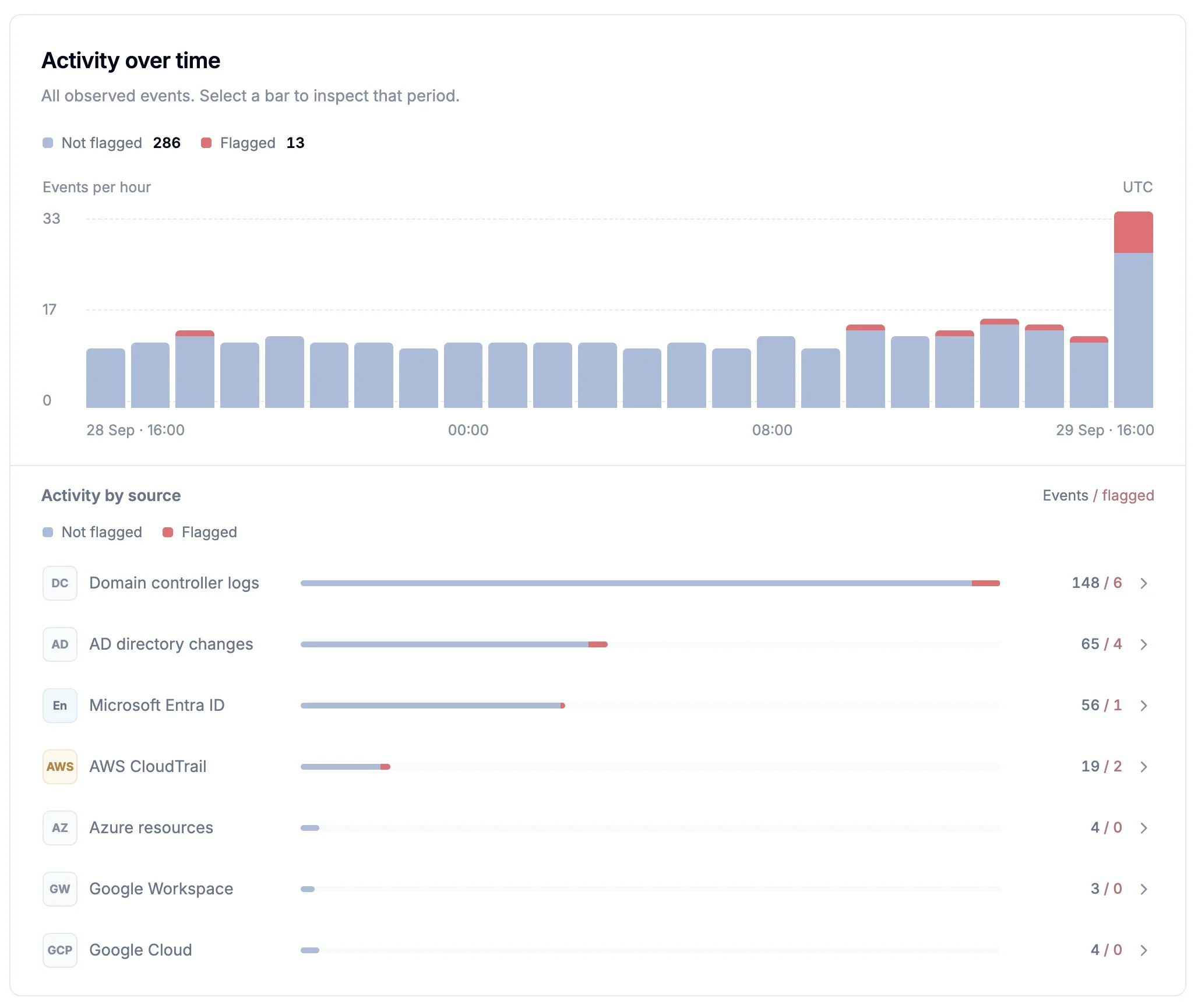
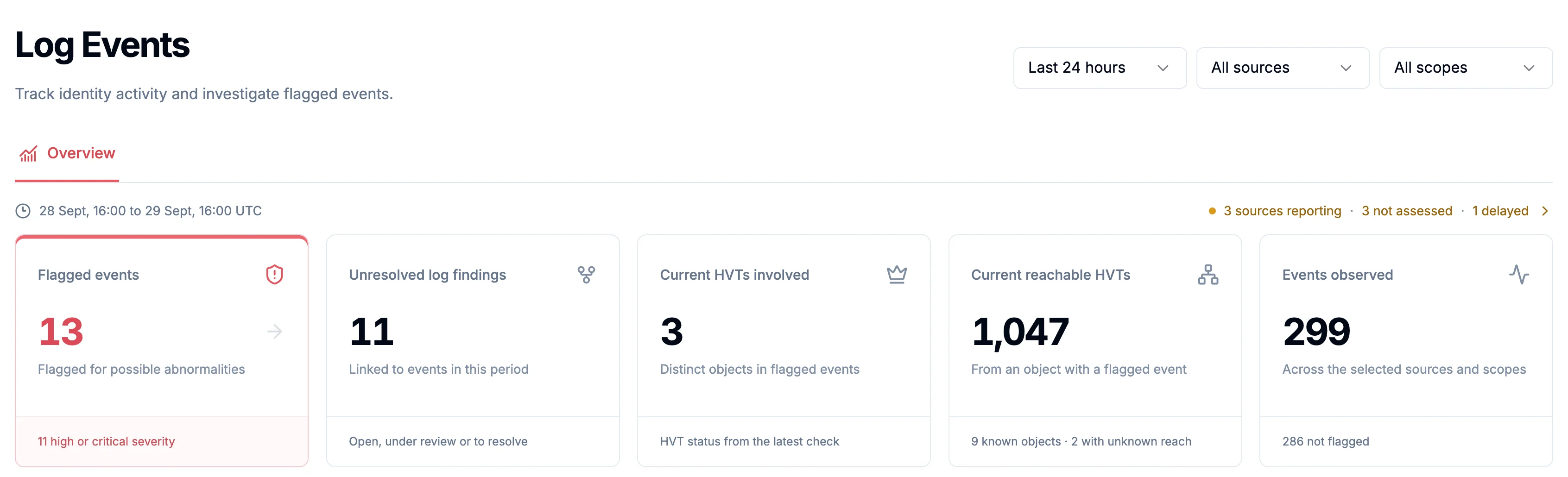
Follow account, permission, group membership and application credential changes.
Inspect acting accounts and affected objects where recorded.
See when each source was last checked.
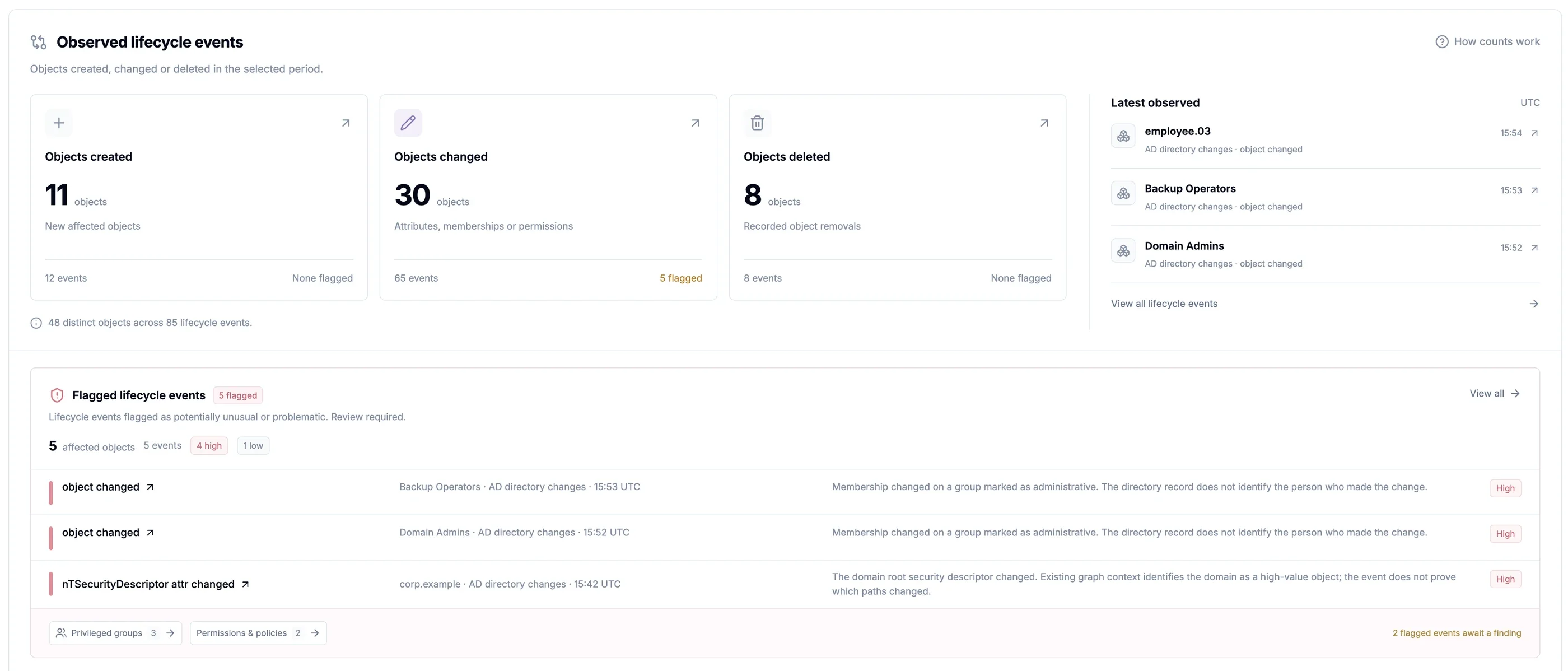
Use identity exposure and reachable critical assets to focus on the activity that deserves review.
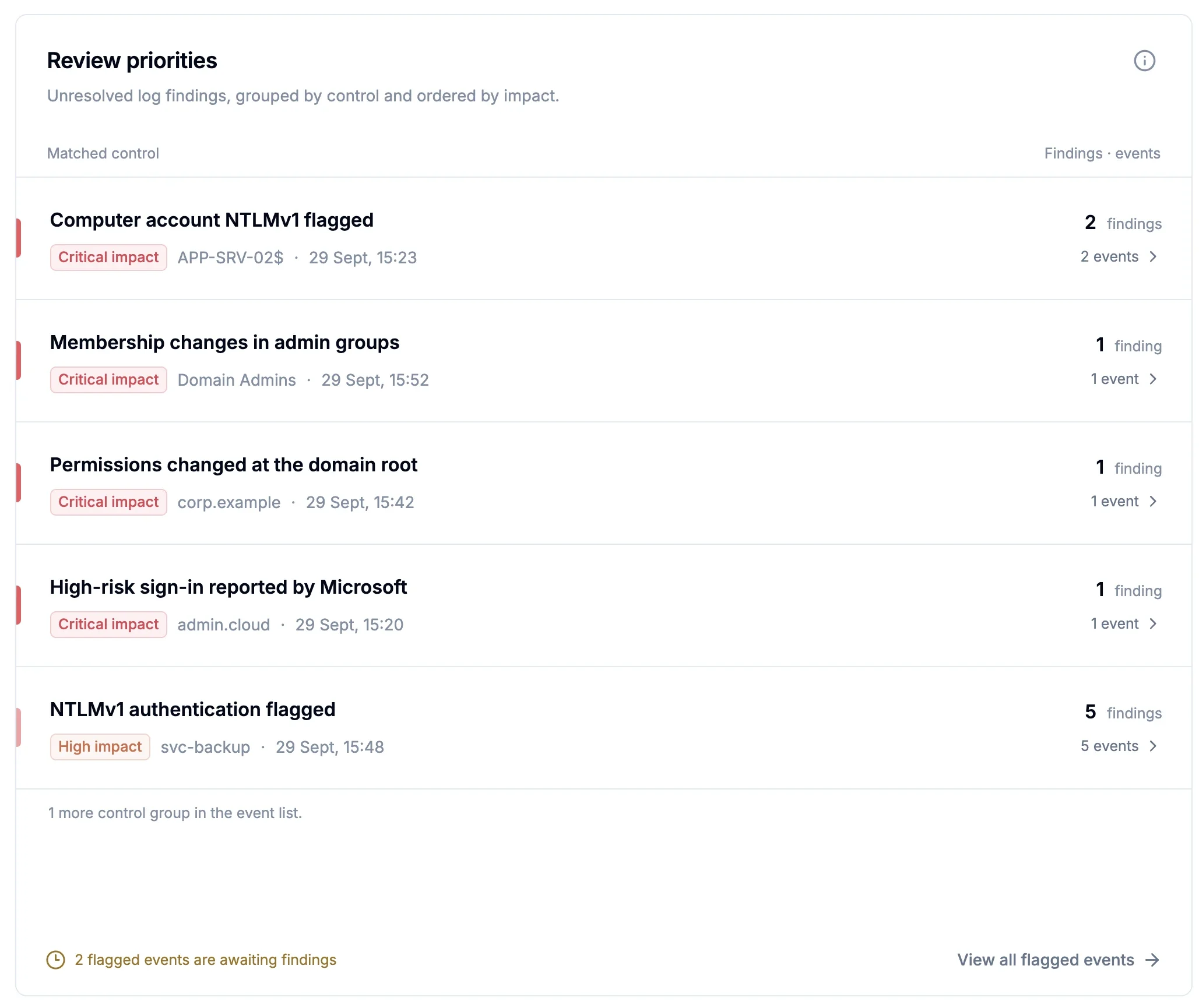
See which of 85+ built-in log controls flagged an event and why, then open the supporting evidence.
Prioritize identities that can reach critical assets and enable wider attacker movement.
Review Microsoft-detected risky sign-ins with identity exposure context.
Active Directory event
Membership changed on an AD group which has Admin rights
Affected identity
JORDAN.HAYES
User
SAPORO.LOCAL
Security context
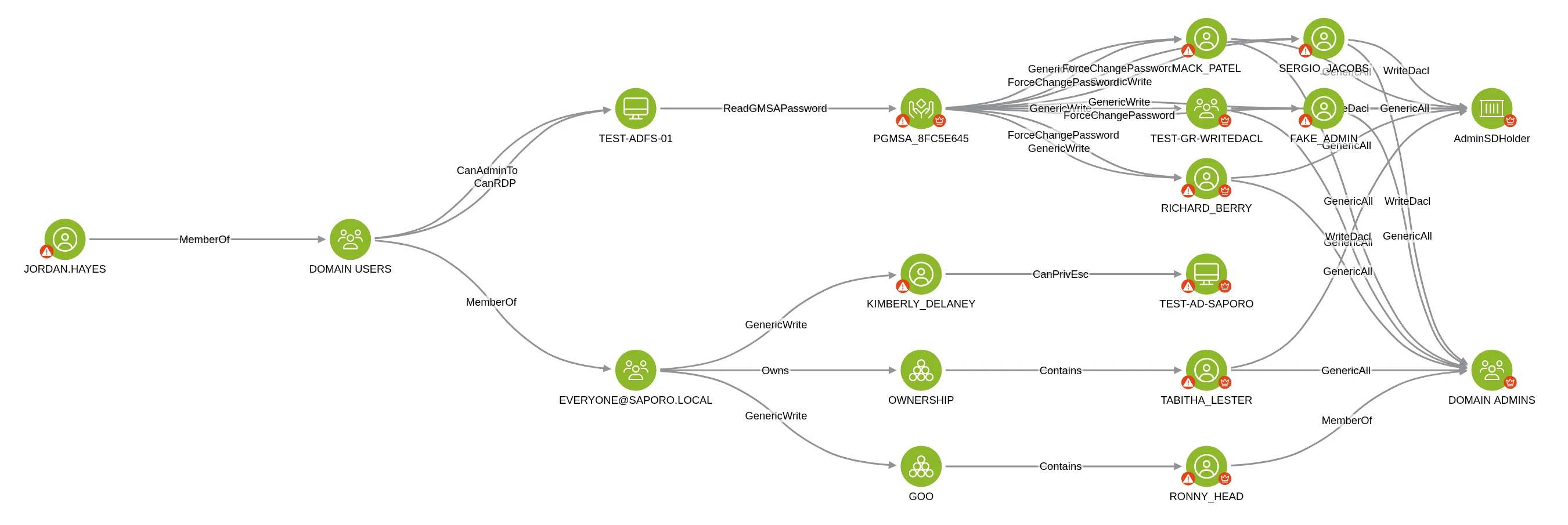
Explore / Attack paths to Domain AdminsExample environment and data.
Search, reuse queries and inspect supporting evidence to assess urgency with less manual investigation.
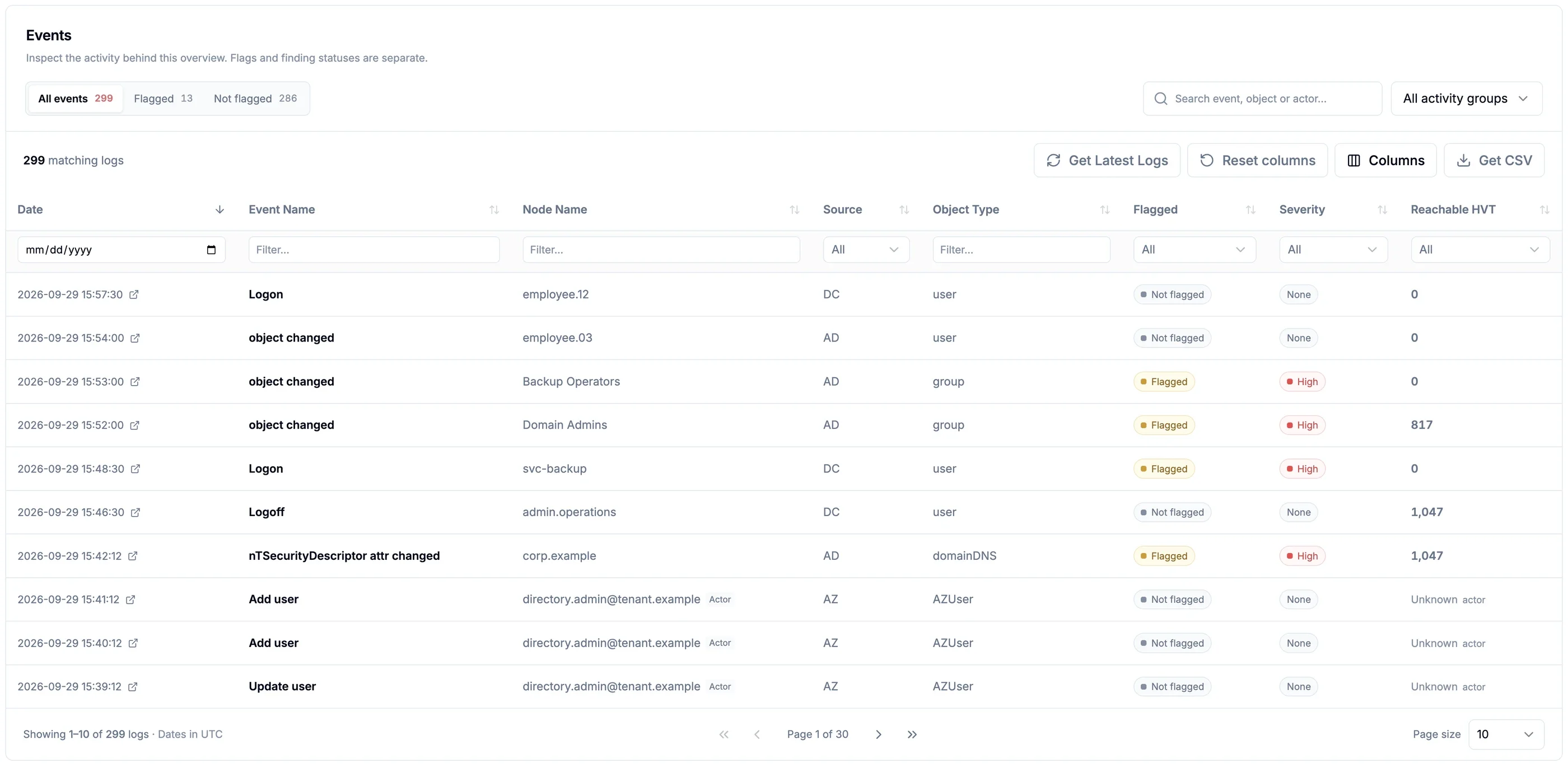
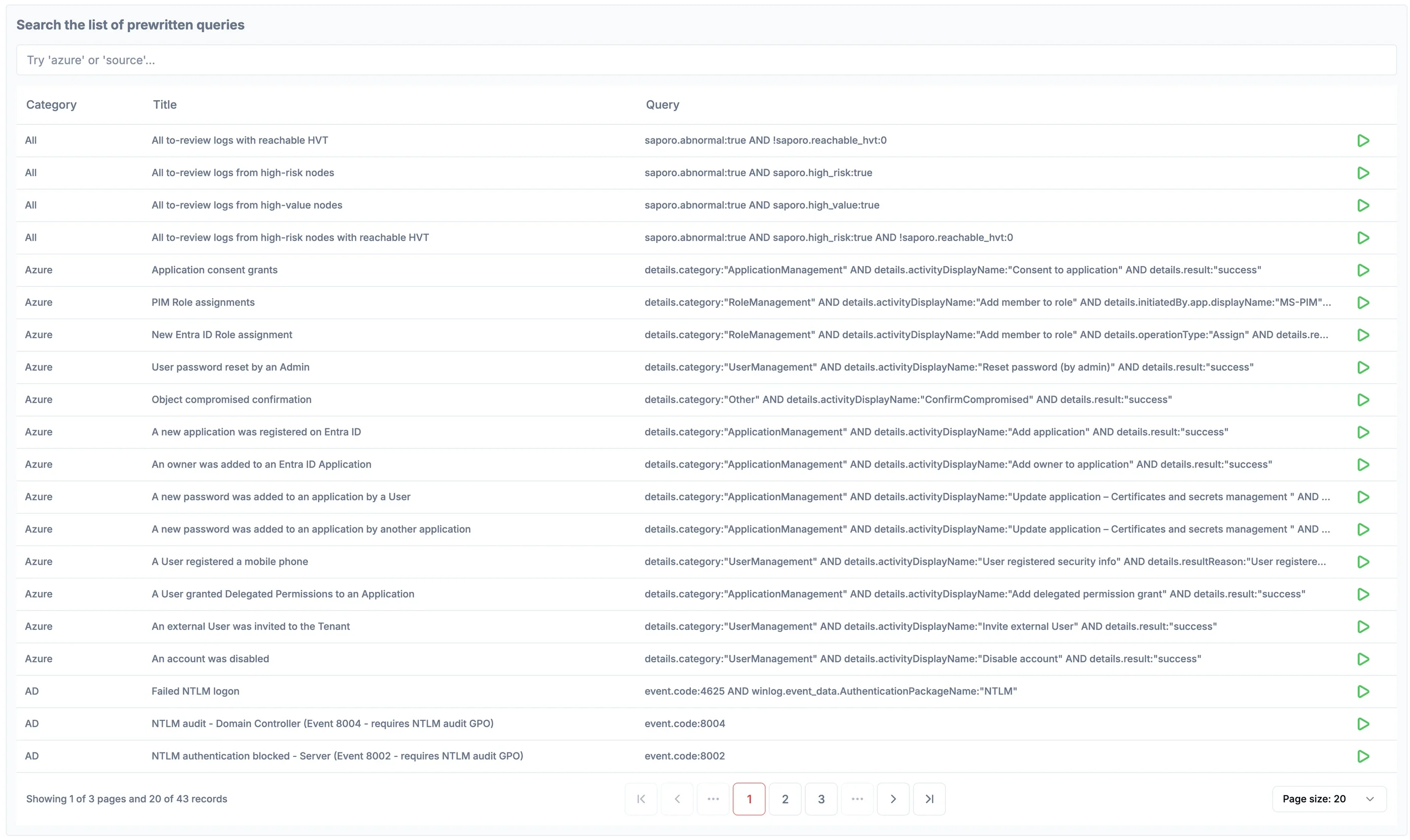
Start with ready-made searches for common identity investigations.
Save custom queries and rerun them whenever needed.
Inspect properties and findings, add notes, create tickets and export results.
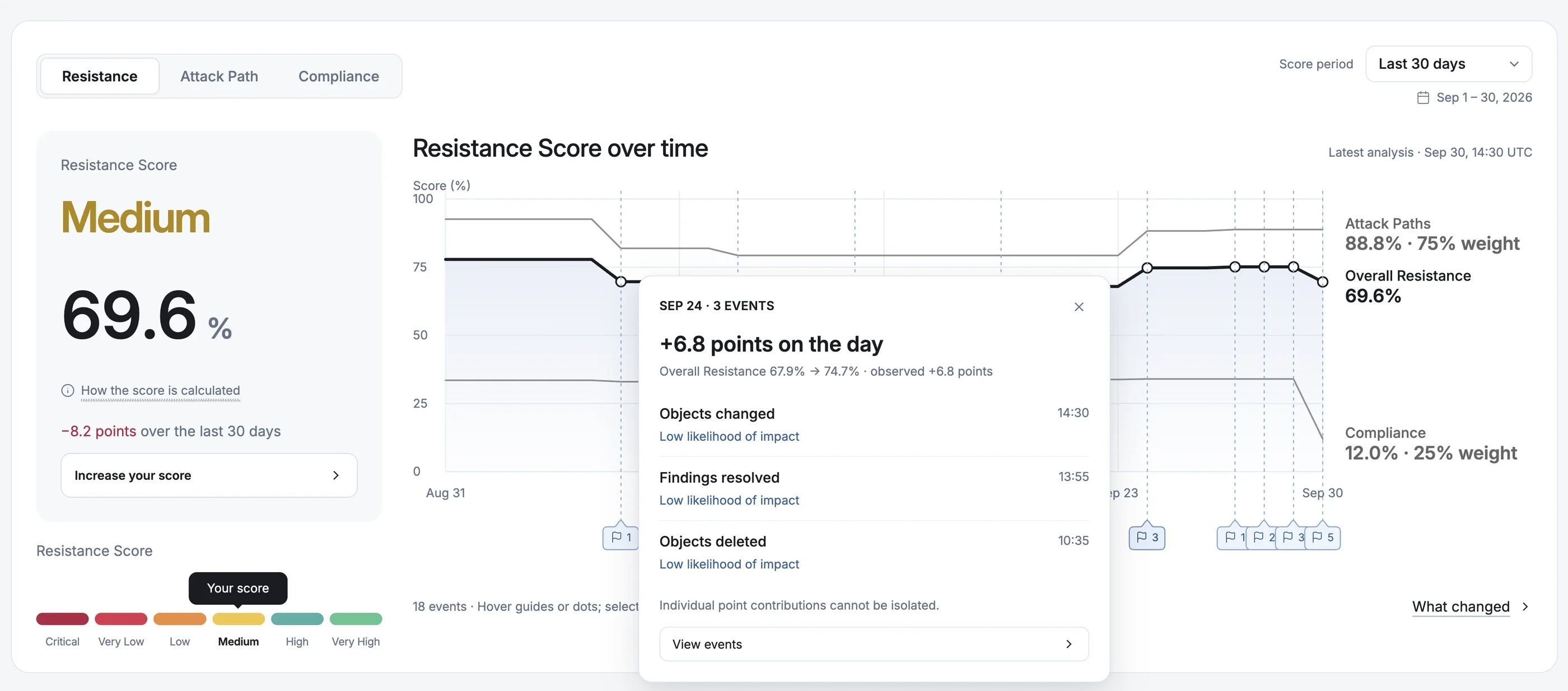
Connect score trends with findings and environment changes to investigate what may have contributed.
Help your SOC prioritize investigations in its existing tools with findings and identity exposure context.
Tag affected identities through API integrations, then assess their reachable assets and potential blast radius.
Kibana is deployed by default alongside Elasticsearch for custom searches, dashboards and additional log integrations.
Change & Event Monitoring Q&A
A flag marks potentially abnormal or security-relevant activity for review. Open the event to see the matched control, severity, recorded properties and related findings.
Yes, when the source records it. Domain Controller security logs complement AD directory change records with who performed the action.
Yes. Search and filter all collected events, not only flagged activity, to understand the context of a change.
Saporo links Microsoft-detected risky sign-ins to the identity’s exposure and reachable critical assets, so your team can weigh potential impact alongside Microsoft’s risk level.
Yes. Use prewritten queries, save your own searches and build dashboards in the included Kibana environment.
Explore identity activity, investigate priority events and keep exposure under control.