
ADCS EXPOSURE

Reduce identity exposure across ADCS

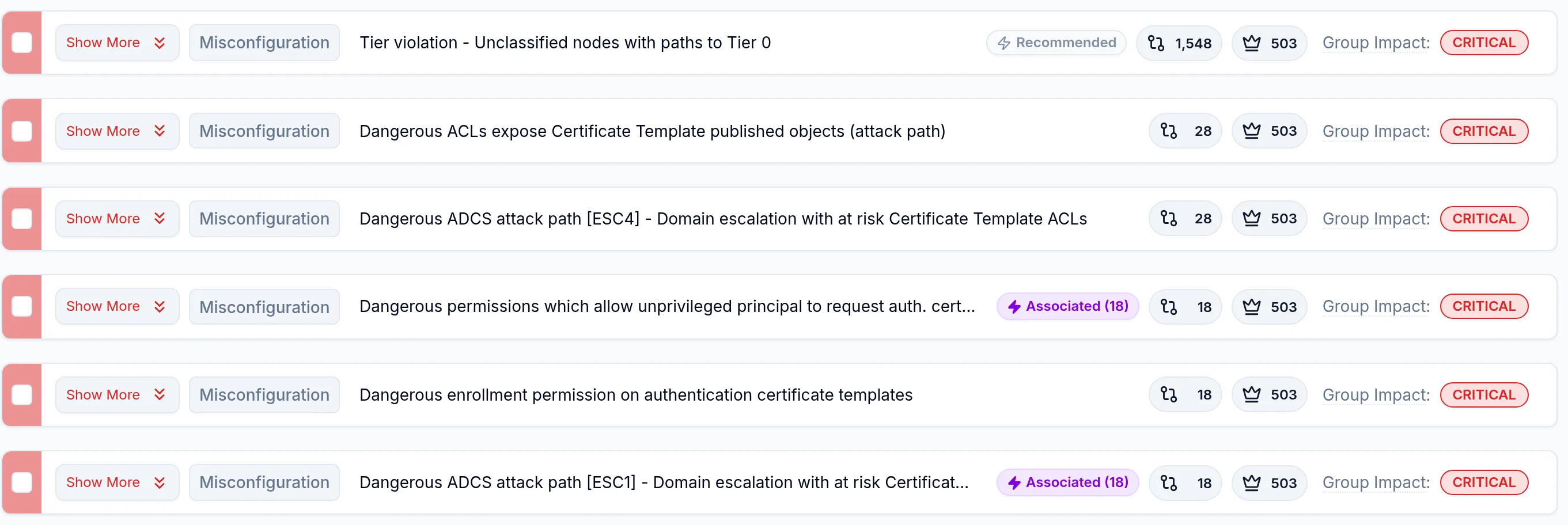
Misconfigured certificate templates, enrollment permissions, and CA settings can enable impersonation and privilege escalation.

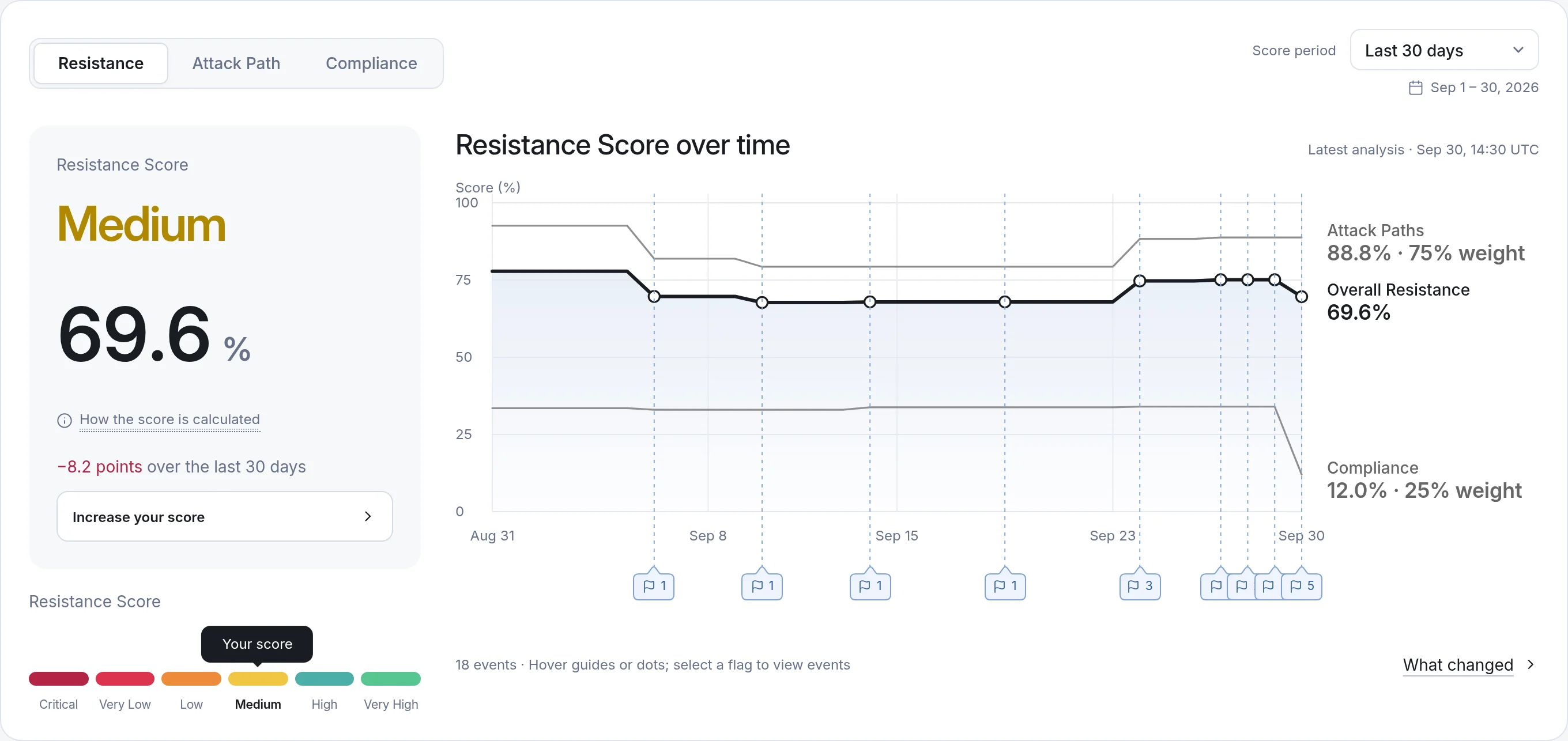
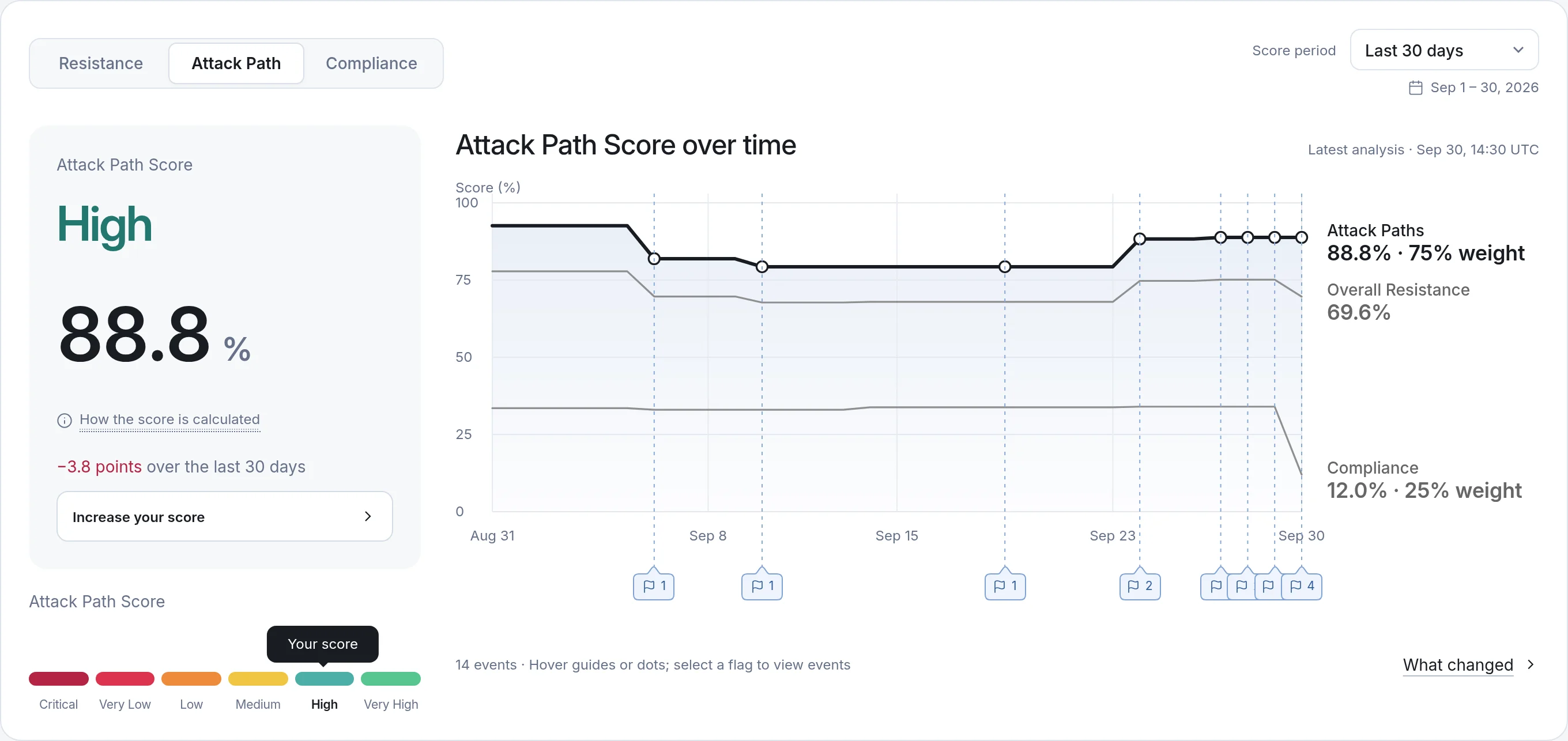
Saporo analyzes ADCS alongside Active Directory to reveal these attack opportunities and prioritize the changes that break attack paths to Tier 0 and other critical assets.

ADCS
  • Templates
  • Authorities
  • Enrollment
  • PKI objects
  • Permissions
  • AD identities

NSA and CISA assessment teams regularly find insecure Active Directory Certificate Services in large organizations.

Source: NSA and CISA joint advisory AA23-278A, Top Ten Cybersecurity Misconfigurations

ADCS Q&A

Understand ADCS exposure

Active Directory Certificate Services (ADCS) is the Windows Server role for issuing and managing digital certificates. Enterprise certification authorities use certificate templates stored in Active Directory to define how certificates are requested and issued.

Saporo covers certificate templates, certification authorities, enrollment, and PKI objects. It places this certificate-services context alongside Active Directory identities, permissions, and relationships in a unified attack graph.

Saporo collects ADCS data with its agentless ADCS collector, alongside Active Directory. With the ADCS collector configured, it gathers certification authorities, certificate templates, enrollment rights, and PKI objects into the same exposure model. Coverage depends on the permissions granted to the collector and its connectivity to your directory and certification authorities.

Certificate services depend on directory identities, permissions, and configuration. When those relationships create excessive access or certificate risk, they can contribute to privilege escalation. Reviewing them together helps your team understand the full path toward a privileged identity or critical system.

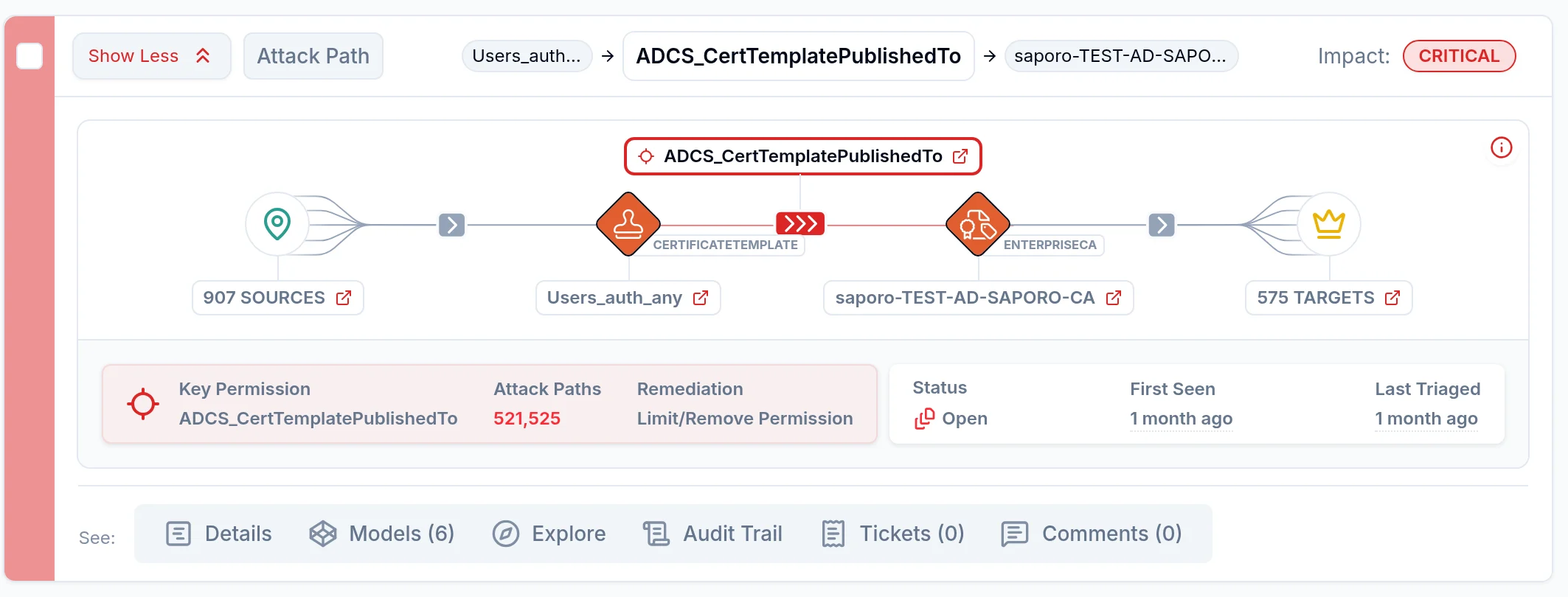
Saporo uses attack-path context to show how a certificate-related exposure connects to privileged identities and High Value Targets. This helps your team focus on the permission or configuration changes that break meaningful paths, rather than treating each finding as equally urgent.

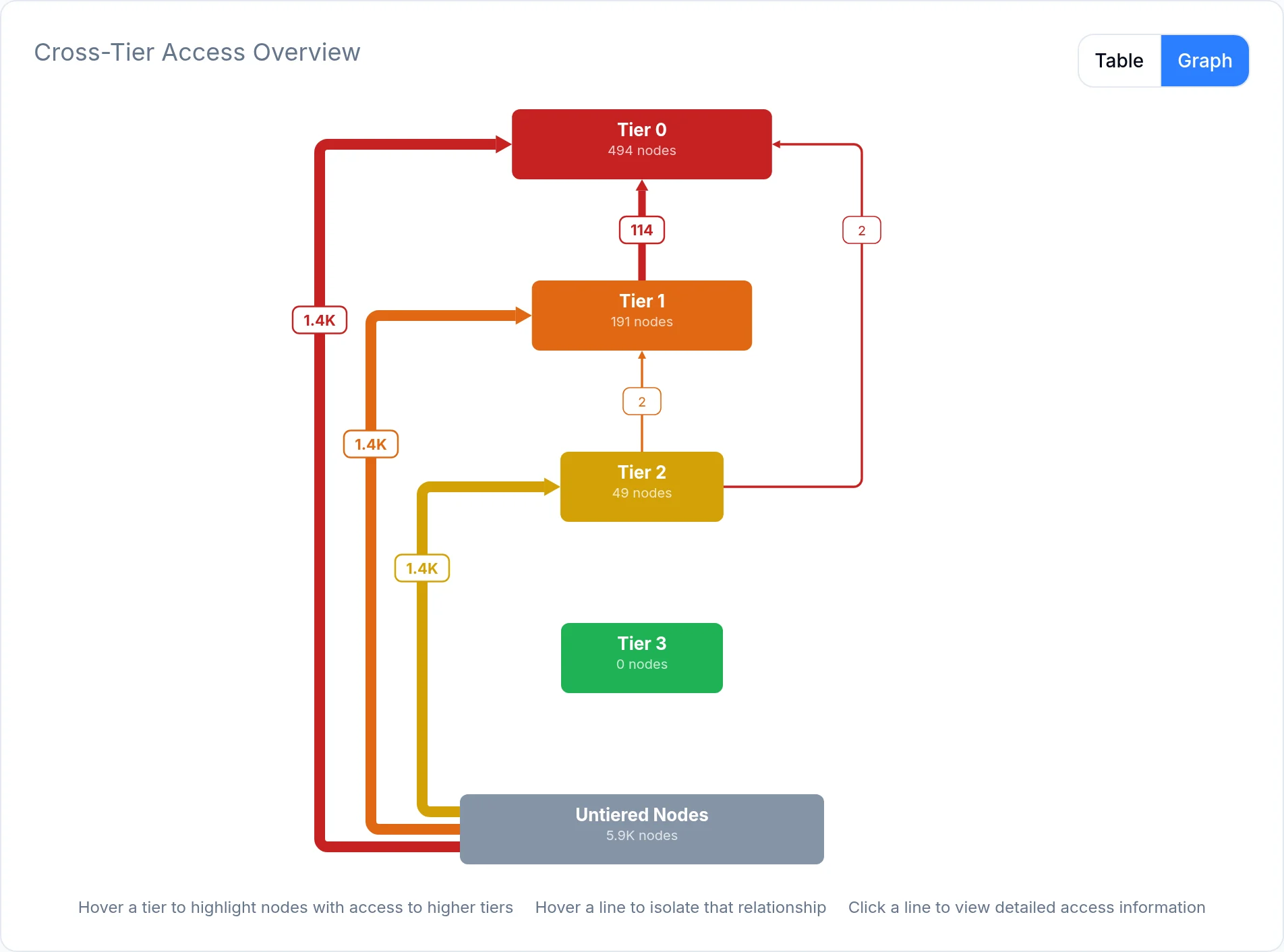
Saporo connects certificate-service relationships to the wider directory graph, helping your team identify paths toward Tier 0 systems and other High Value Targets. Your security and PKI owners can use that evidence to prioritize hardening while reviewing the operational effect of each change.

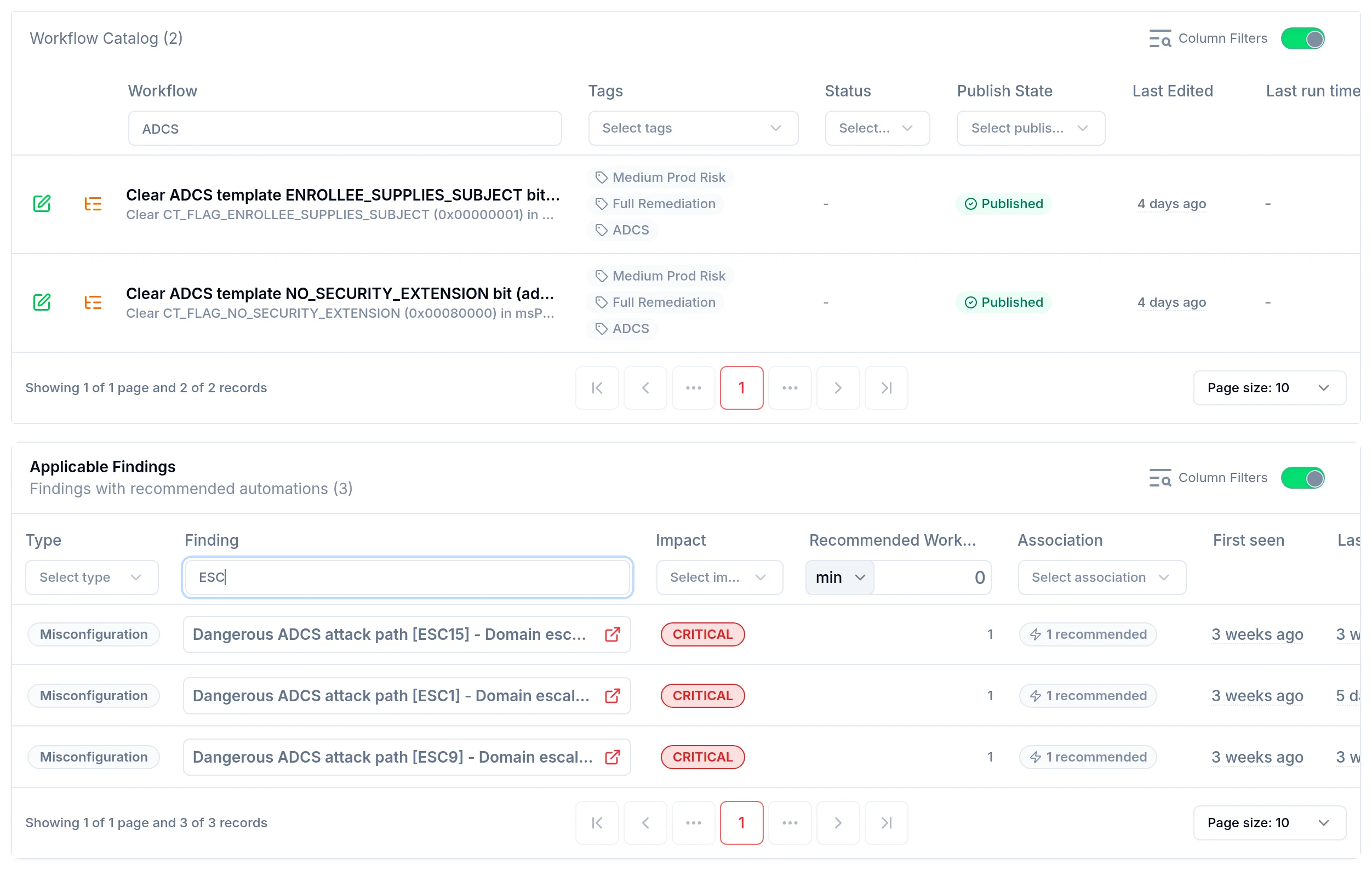
With Saporo Enterprise, workflows can automate supported certificate-template fixes, such as removing the ENROLLEE_SUPPLIES_SUBJECT or NO_SECURITY_EXTENSION flag, drawing on a library of 100+ prebuilt workflows. In the workflow builder, you can add approval steps through email, Microsoft Teams, or Slack, or open tickets in ITSM tools such as Jira or ServiceNow, so sensitive changes are reviewed before they reach your PKI.

Reduce identity exposure before it becomes an attack

Book a demo